
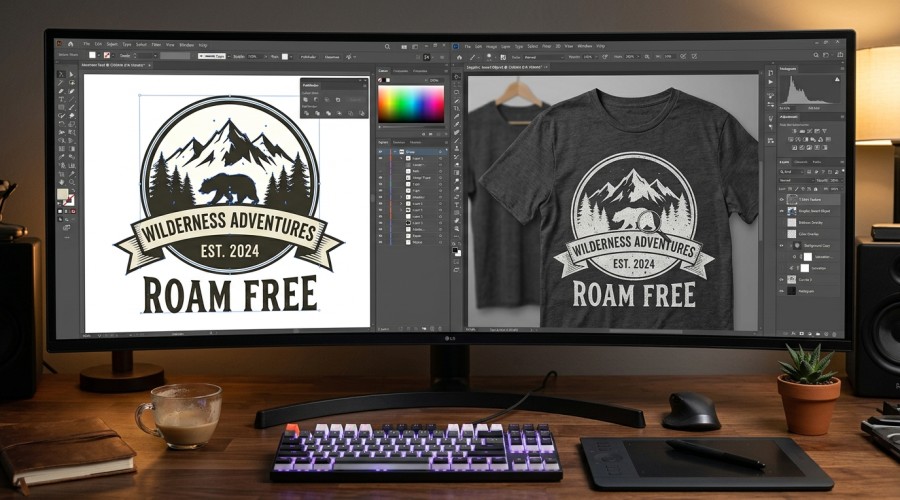
SVG and PNG are the two most common file formats for print-on-demand t-shirt designs — here’s exactly when to use each one.
If you’ve ever downloaded a t-shirt design and found both an SVG and a PNG file inside, you’ve probably wondered — which one should I actually upload to Printify? It’s one of the most common questions from POD sellers, and the answer depends on your design type, your platform, and what you’re trying to achieve.
This guide covers everything you need to know about SVG vs PNG for print on demand — what each format actually is, when each one is the right choice, platform-specific requirements for Printify, Printful, Etsy and Redbubble, and which gives better print quality for t-shirts.
Quick answer: SVG is better for vector illustrations, logos and text-based designs — it scales infinitely with zero quality loss. PNG is better for complex designs with gradients, shadows or photographic elements. For most t-shirt designs, SVG at 300 DPI equivalent gives the sharpest print results. All TeePlace designs include both formats so you always have the right one.
What is the difference between SVG and PNG?
SVG and PNG are fundamentally different types of files. Understanding this difference is the key to knowing which one to use.
SVG (Scalable Vector Graphics) is a vector format. It stores your design as mathematical paths, curves and shapes rather than pixels. This means an SVG file can be scaled to any size — from a small badge to a full billboard — with absolutely no loss in quality. SVG files are typically small in file size and are ideal for illustrations, logos and typography-based designs.
PNG (Portable Network Graphics) is a raster format. It stores your design as a fixed grid of pixels. A PNG file has a set resolution — if you scale it up beyond its original size, it becomes pixelated and blurry. However PNG handles complex colour gradients, shadows, textures and photographic elements far better than SVG.
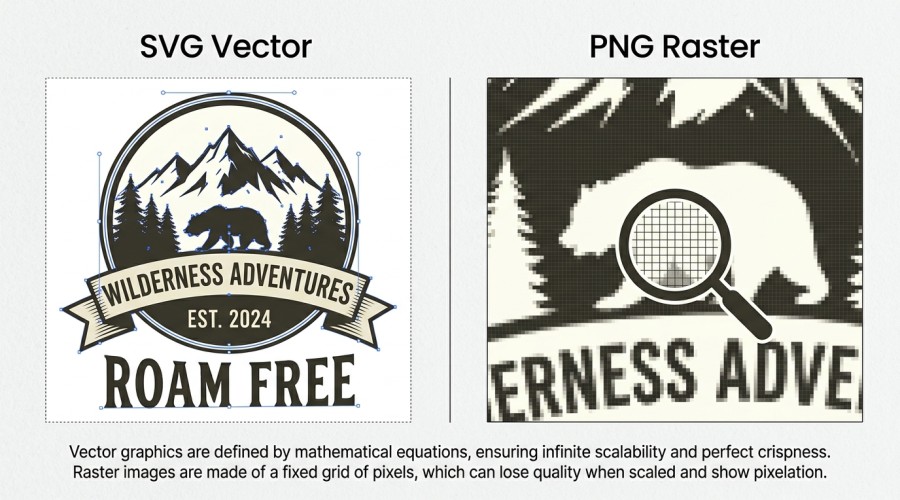
SVG stores designs as mathematical paths — PNG stores them as pixels. This fundamental difference determines which is better for each use case.
When to use SVG for print on demand
SVG is the preferred format for most t-shirt design uploads to Printify and Printful. Here’s when SVG is the clear choice:
- Vector illustrations — any design made of clean lines, shapes and flat colours
- Typography and quote designs — text-based designs scale perfectly at any size (text must be converted to paths first)
- Logo-style designs — simple graphics that need to work at multiple sizes
- Designs with transparent backgrounds — SVG handles transparency natively
- Designs for multiple product sizes — the same SVG works perfectly on a Small and an XXL without any quality difference
💡 TeePlace tip: Before uploading an SVG to Printify, always convert text layers to paths/outlines. Printify cannot render live text fonts in SVG files. In Adobe Illustrator: Select All → Type → Create Outlines. In Inkscape: Select All → Path → Object to Path.
When to use PNG for print on demand
PNG is the better choice in specific situations where SVG falls short:
- Photographic or realistic designs — portraits, detailed textures, realistic illustrations
- Designs with gradients or shadows — smooth colour transitions render poorly in SVG but look perfect in PNG
- Sublimation designs — full-colour all-over prints are almost always PNG
- Complex multi-layered designs — designs with hundreds of paths can exceed Printify’s 20,000 path element limit; PNG has no such restriction
- Watercolour and hand-drawn style designs — organic textures and brush strokes are raster by nature
⚠️ PNG minimum resolution: Always use PNG at 300 DPI minimum for print on demand. A PNG at 72 DPI (screen resolution) will print blurry. For a standard front print area of 12” × 16”, your PNG should be at least 3600 × 4800 pixels at 300 DPI.
SVG vs PNG — full comparison table
| Feature | SVG | PNG |
|---|---|---|
| File type | Vector | Raster (pixel-based) |
| Scalability | Infinite — no quality loss | Fixed resolution — pixelates if scaled up |
| Transparency | Yes, native | Yes, native |
| Gradients & shadows | Limited support | Full support |
| Photos & textures | Not suitable | Best choice |
| Typography designs | Excellent (convert to paths) | Good (no conversion needed) |
| File size | Usually small | Can be large at 300 DPI |
| Printify max size | 20MB | 100MB |
| Sublimation printing | Not recommended | Best choice |
| Best for | Illustrations, logos, vectors | Photos, gradients, sublimation |
File requirements for every POD platform
Each print-on-demand platform has slightly different file requirements. Here’s a quick reference for the most popular platforms:
SVG: max 20MB, max 20,000 paths, text converted to outlines. PNG: max 100MB, minimum 300 DPI recommended. Both formats accepted in Product Creator.
PNG preferred: minimum 150 DPI, recommended 300 DPI. Print area files should be at least 3000 × 3000px for DTG. SVG accepted for certain product types. Transparent background required for apparel.
PNG strongly preferred: minimum 2400px on longest side, recommended 4500 × 5400px for full coverage. SVG accepted but PNG recommended for best results across all Redbubble products.
PNG only: exactly 4500 × 5400px at 300 DPI. Transparent background required. SVG not accepted. File size under 25MB.
Follows your POD provider’s requirements — Printify or Printful specs above apply. For digital download listings selling the design file itself: both SVG and PNG are accepted as digital downloads.
Important: Merch by Amazon only accepts PNG. If you sell on Amazon and use SVG files, you must convert them to PNG at 4500 × 5400px before uploading. All TeePlace designs include both formats so you’re covered for every platform.
Which gives better print quality?
For most t-shirt designs, SVG gives superior print quality — but only when the design is vector-based. Here’s why:
When a printer receives an SVG file, it renders the mathematical paths at the exact resolution of the printer — often 1200 DPI or higher. This means every edge is razor-sharp regardless of the print size. A PNG file, even at 300 DPI, is interpolated up to the printer’s resolution which can introduce slight softness on sharp edges.
However, for designs with gradients, textures or photographic elements, PNG at 300 DPI will look better than an SVG version of the same design. SVG doesn’t handle smooth colour transitions as gracefully as raster formats.
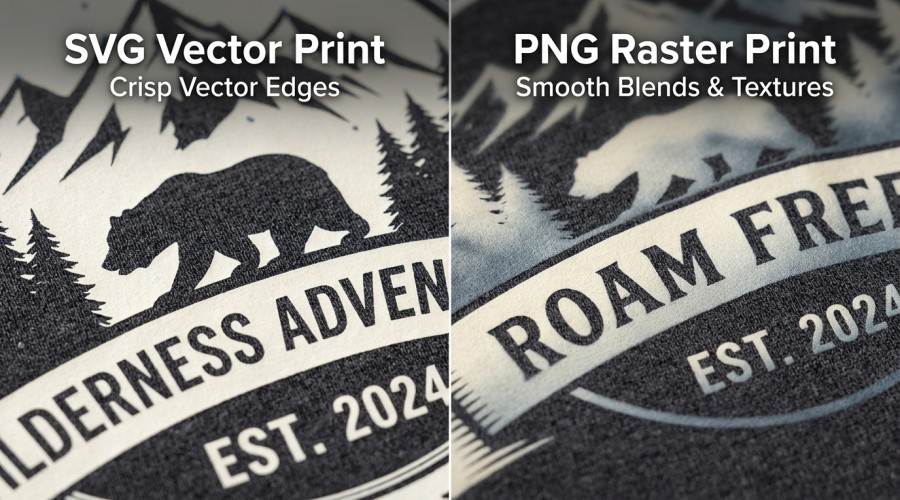
SVG gives sharper edges on vector designs. PNG gives smoother gradients on complex artwork. The best choice depends entirely on your design type.
Which should you choose?
The decision is simple once you understand your design type:
Your design is a vector illustration, a text/quote design, a logo-style graphic, or any flat colour design. Upload SVG to Printify for the sharpest possible print results.
Your design has gradients, shadows, textures or photographic elements. Also use PNG when uploading to Merch by Amazon (SVG not accepted) or Redbubble (PNG recommended). Always use 300 DPI minimum.
You sell across multiple platforms. Keep the SVG for Printify and Printful, and a high-resolution PNG export for Merch by Amazon, Redbubble and any platform that prefers or requires PNG.
PNG at 300 DPI is universally accepted across every POD platform and always produces excellent results. If you’re new to POD and not sure which to use, a high-resolution PNG is the safest choice every time.
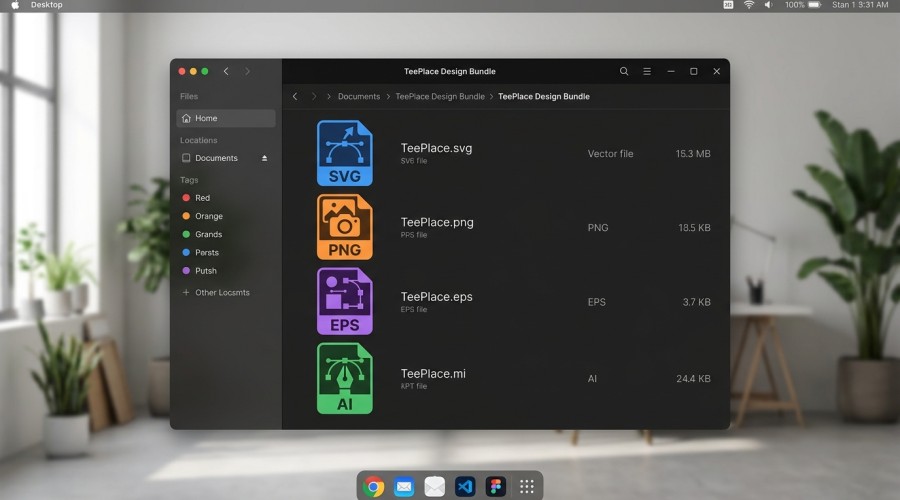
Every TeePlace design download includes SVG, PNG, EPS and AI formats — ready for Printify, Printful, Merch by Amazon and every other POD platform.
Where to get both SVG and PNG formats ready to upload
The easiest way to avoid format headaches is to buy designs that include both SVG and PNG in every download. That way you always have the right format for every platform without any conversion work.
Every design in the TeePlace marketplace includes SVG, PNG, EPS and AI formats in a single download — all covered by a full commercial use license. Upload the SVG to Printify, the PNG to Merch by Amazon, and keep the EPS and AI files for any future editing. One purchase covers every platform you sell on.
Get SVG & PNG designs ready for every POD platform
Every TeePlace design includes SVG + PNG + EPS + AI formats — commercial license included — from just $5.
Summary — SVG vs PNG for print on demand checklist
- ✓ Use SVG for vector illustrations, logos and text-based t-shirt designs
- ✓ Use PNG for gradients, shadows, textures and photographic designs
- ✓ Always convert SVG text to paths/outlines before uploading to Printify
- ✓ PNG minimum 300 DPI — at least 3600 × 4800px for standard front print
- ✓ Merch by Amazon requires PNG only — 4500 × 5400px exactly
- ✓ Redbubble recommends PNG — minimum 2400px on longest side
- ✓ Printify accepts both — SVG max 20MB, PNG max 100MB
- ✓ When in doubt, use PNG at 300 DPI — works on every platform
- ✓ Buy designs that include both formats so you’re covered everywhere
Stock your POD store with designs in every format
All TeePlace designs include SVG + PNG + EPS + AI — one purchase, every platform covered — from just $5.
Browse All Designs Get Bundle Deals